Beyond eth0
A Deep Dive into Kubernetes Multi-Network Pods with Multus CNI
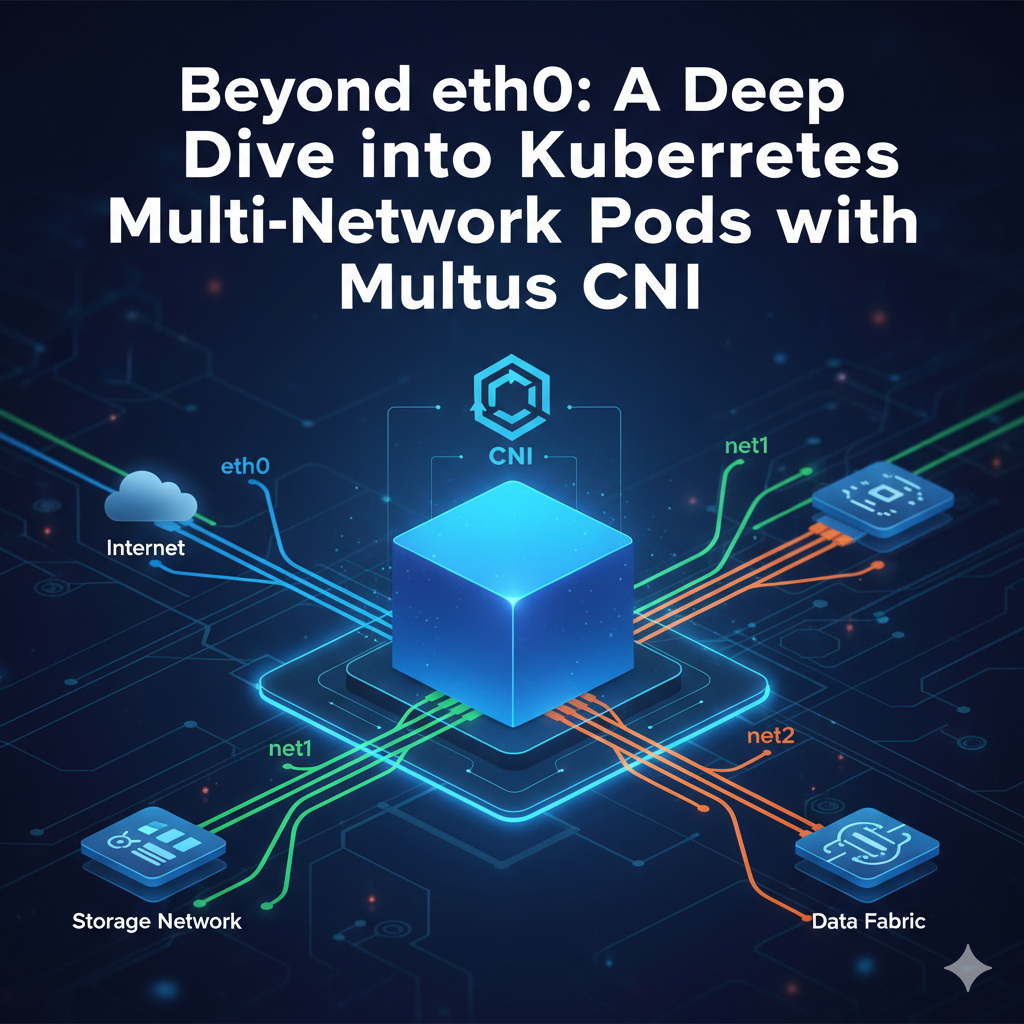
Beyond eth0: A Deep Dive into Kubernetes Multi-Network Pods with Multus CNI
The Kubernetes Network Model: A Foundation of Simplicity and its Limitations
At the heart of Kubernetes’ design is a networking model that is both powerful in its simplicity and opinionated in its structure. This model was created to solve the complex networking challenges inherent in running distributed systems across a cluster of machines. To truly grasp the need for advanced solutions like Multus, one must first understand the foundational principles of Kubernetes networking and the specific limitations that drive the demand for multi-homed Pods.
The “IP-per-Pod” Philosophy: A Flat, Routable Network
The cornerstone of Kubernetes networking is the IP-per-Pod model. Unlike earlier container paradigms that required complex port mapping between the host and the container, Kubernetes provides each Pod with its own unique, cluster-wide IP address. This fundamental design choice has profound implications: it allows Pods to be treated much like virtual machines or physical hosts from a networking perspective, simplifying application configuration, migration, and service discovery.
This model is built on a set of core principles that ensure seamless and predictable communication:
- Unique Pod IPs: Every Pod across the entire cluster is assigned a unique IP address. This eliminates port conflicts at the host level, as applications running inside Pods can use their standard, well-known ports without issue.
- Flat, Routable Network: Kubernetes mandates a flat network structure where all Pods can communicate with all other Pods directly, without the need for Network Address Translation (NAT). This principle applies whether the Pods are running on the same node or different nodes, dramatically reducing complexity and improving application portability.
- Node-to-Pod Communication: All nodes in the cluster can communicate with all Pods (and vice-versa) without NAT. This is essential for control plane components like the kubelet and other system daemons to interact with the workloads they manage.
This elegant model facilitates four primary communication patterns within a cluster:
- Container-to-Container Communication: Containers within the same Pod share a single network namespace, including the same IP address and port space. They can communicate with each other as if they were processes on the same machine, using the localhost interface.
- Pod-to-Pod Communication: Thanks to the IP-per-Pod model, one Pod can directly address another using its unique IP address, regardless of its location in the cluster. This is typically handled by a virtual ethernet (veth) pair connecting the Pod’s network namespace to a bridge on the host node, with cluster-level routing tables ensuring traffic reaches the correct destination node.
- Pod-to-Service Communication: To handle the ephemeral nature of Pods, Kubernetes uses the Service abstraction. A Service provides a stable, virtual IP address (ClusterIP) and DNS name that acts as a single endpoint for a group of backend Pods. The kube-proxy component on each node (or an equivalent implemented by the network plugin) intercepts traffic destined for the Service’s IP and load-balances it across the healthy backing Pods.
- External-to-Service Communication: To expose applications to the outside world, Kubernetes provides mechanisms like NodePort, LoadBalancer Services, and the more advanced Ingress and Gateway APIs. These objects configure pathways for external traffic to reach Services within the cluster.
The Inherent Limitation: Why Just One Interface?
The Kubernetes model, in its elegant pursuit of simplicity and portability, makes a fundamental design choice: a Pod is analogous to a single “logical host”. As such, it is assigned a single network namespace, which inherently means it has one primary network interface, conventionally named
eth0. For the vast majority of modern, cloud-native microservices, this is a perfectly sufficient and desirable abstraction. These applications are typically designed to communicate over a single, flat IP network, relying on service discovery and L7 routing to function.
However, this “one-interface-to-rule-them-all” approach becomes a significant architectural barrier for a class of specialized and high-value workloads. The very design decision that made Kubernetes so successful for web-scale applications—abstracting the network into a simple, flat space—simultaneously created a major adoption hurdle for industries with fundamentally different networking requirements.
Consider the world of Network Function Virtualization (NFV), telecommunications, and High-Performance Computing (HPC). Applications in these domains are often built with the explicit requirement of network separation. They require multiple, distinct network interfaces for reasons of performance, security, and protocol isolation:
- Traffic Separation: A telecom network function may need to separate its control plane traffic (for management and signaling) from its data plane traffic (carrying user voice or video) onto physically or logically distinct networks.
- Performance: A data-intensive application might need a dedicated, high-throughput, low-latency interface connected to a storage network, while using a separate interface for general management traffic.
- Security and Multi-tenancy: A secure application might require one interface connected to a trusted internal network and another connected to an untrusted external network, with strict firewall rules between them.
For these use cases, the single eth0 interface is not a simplification; it is a showstopper. The inability to create multi-homed Pods forces these critical workloads into less flexible, non-containerized environments, preventing them from benefiting from Kubernetes’ powerful orchestration capabilities. This gap between the standard Kubernetes model and the needs of specialized industries created the critical need for a solution that could break the single-interface barrier without breaking the Kubernetes paradigm.
The Container Network Interface (CNI): A Framework for Pluggability
The Kubernetes network model defines what must be achieved (e.g., every Pod gets a unique IP) but not how it should be implemented. The “how” is delegated to a pluggable system based on the Container Network Interface (CNI) specification. CNI, a project hosted by the Cloud Native Computing Foundation (CNCF), provides a standardized specification and a set of libraries for writing plugins that configure network interfaces for Linux containers.
Understanding the CNI Specification and its Role
The genius of CNI lies in its focused and minimal scope. It concerns itself only with network connectivity for a container and the subsequent cleanup of allocated resources when the container is deleted. It does not deal with higher-level concepts like service discovery or network policy enforcement, leaving those to be handled by other components. This simplicity is the key to its wide adoption across the container ecosystem, used not only by Kubernetes but also by other orchestrators and runtimes like OpenShift, Podman, and Mesos.
When a Pod is scheduled onto a node, the kubelet (the primary node agent) communicates with the configured container runtime (like containerd or cri-o). The runtime is responsible for creating the Pod’s network namespace and then invoking the configured CNI plugin to set up the network inside that namespace.
The CNI Lifecycle: ADD, DEL, and CHECK in Action
The interaction between the container runtime and a CNI plugin follows a simple, well-defined execution protocol based on invoking binaries. The runtime passes information to the plugin through environment variables and a JSON configuration object via standard input (
stdin). The plugin then performs its task and returns a result (on success) or an error (on failure).
The core of this lifecycle revolves around a few key commands, specified via the CNI_COMMAND environment variable 18:
- ADD: This command is invoked when a container is created. The CNI plugin is responsible for creating a network interface inside the container’s network namespace (identified by CNI_NETNS), giving it the specified name (CNI_IFNAME), and configuring it according to the JSON configuration. This often involves calling a separate IP Address Management (IPAM) plugin to allocate and assign an IP address.
- DEL: This command is invoked when a container is destroyed. The plugin’s job is to undo everything it did during the ADD operation. This includes removing the network interface and releasing the IP address back to the pool. A well-behaved plugin must handle this gracefully, even if some resources are already missing.
- CHECK: This command allows the runtime to verify that a container’s network is still healthy and configured as expected. The plugin should check the state of the interface, its IP address, and any routes it created, returning an error if anything is amiss.
This simple, command-based lifecycle provides a robust and extensible mechanism for managing container network interfaces.
The CNI Plugin Ecosystem
The minimalist nature of the CNI specification has fostered a vibrant and diverse ecosystem of plugins, each designed to solve different problems or optimize for different environments.This ecosystem can be broadly categorized along two axes: networking model and primary feature set.
Networking Model:
- Encapsulated (Overlay): These plugins (like Flannel with VXLAN, or Cilium in its default mode) create a virtual network that overlays the physical network of the nodes. They encapsulate Pod-to-Pod traffic in packets (e.g., VXLAN packets) and send them across the underlying node network. This approach is highly flexible and works in almost any environment, as it is decoupled from the physical network, but it can introduce minor performance overhead due to encapsulation.
- Unencapsulated (Underlay/Routed): These plugins (like Calico in BGP mode) configure the underlying network to directly route traffic to Pods. They treat the nodes as routers, advertising routes to Pod IP subnets using protocols like BGP. This model offers higher performance by avoiding encapsulation overhead but requires more control over the underlying network infrastructure (e.g., BGP-capable routers).
Popular Plugins and Their Strengths:
- Flannel: Known for its simplicity and ease of setup. It provides a basic, robust overlay network and is an excellent choice for getting started or for clusters without complex policy requirements.
- Calico: Famous for its high-performance routed networking and rich network policy enforcement capabilities. It is a top choice for environments with stringent security requirements and the need for fine-grained traffic control.
- Cilium: Leverages the power of eBPF (extended Berkeley Packet Filter) in the Linux kernel to provide high-performance networking, observability, and security without traditional iptables rules. Its ability to understand application-layer protocols (like HTTP) makes it ideal for securing complex microservice architectures.
The sheer diversity of this ecosystem highlights a critical point: there is no single “best” CNI. A large organization might have workloads that would benefit from Flannel’s simplicity, others that require Calico’s strict security, and still others that need the raw performance of a specialized hardware plugin like SR-IOV. The CNI specification’s success in enabling this diversity inadvertently created the next major challenge: how can a cluster leverage more than one of these solutions at the same time? This is the problem that Multus CNI was born to solve. It doesn’t compete with other CNIs; it orchestrates them.
Introducing Multus CNI: The Key to Multi-Homed Pods
As we’ve established, the standard Kubernetes network model provides a single network interface per Pod, managed by a single CNI plugin. For workloads that demand multiple, distinct network attachments, this model is insufficient. Enter Multus CNI, a CNCF project that fundamentally extends Kubernetes’ networking capabilities by enabling Pods to be “multi-homed”.
What is Multus? The “Meta-Plugin” Concept Explained
Multus CNI is not a network plugin in the traditional sense. It does not, by itself, create network devices or assign IP addresses. Instead, Multus operates as a
CNI meta-plugin, or a multiplexer. Its job is to be the
first CNI plugin called by the container runtime and then, in turn, to call a sequence of other, “delegate” CNI plugins.
The workflow is as follows:
- When a Pod is created, the kubelet calls the Multus CNI plugin.
- Multus first identifies and invokes the cluster’s default CNI plugin (e.g., Calico, Flannel, Cilium). This plugin sets up the primary network interface for the Pod, always named eth0, which handles standard Pod-to-Pod and cluster communication.
- Multus then checks the Pod’s metadata for a specific annotation. If this annotation is present, it specifies one or more additional network attachments.
- For each requested attachment, Multus reads a corresponding configuration and invokes the specified delegate CNI plugin (e.g., macvlan, ipvlan, bridge) to create and configure a secondary interface (net1, net2, etc.).
This elegant mechanism allows a single Pod to have its standard eth0 interface for cluster connectivity, plus any number of additional interfaces tailored for specific purposes, each managed by the most appropriate CNI plugin for the job.
Architectural Deep Dive: Thin vs. Thick Plugins
Multus has evolved its deployment architecture over time. Understanding the difference between its “thin” and “thick” plugin models is crucial for modern deployments.
- Thin Plugin (Legacy): In the original model, the multus binary on each node was a simple executable. For every CNI call (ADD, DEL, CHECK), the runtime would execute this binary. It was lightweight but had limitations, particularly in providing operational metrics and interacting with delegate CNIs that required persistent state or host-level access.
- Thick Plugin (Modern): Introduced in Multus v4.0, the “thick plugin” architecture is now the recommended standard. It employs a client-server model:
- multus-daemon: A DaemonSet runs a multus-daemon Pod on every node in the cluster. This long-running process acts as the server and contains all the core logic for reading configurations, invoking delegate plugins, and managing interfaces. It can also expose Prometheus metrics, a significant advantage for observability.
- multus-shim: The CNI binary located at /opt/cni/bin/multus is now a lightweight “shim” client. When the runtime executes it, the shim simply forwards the CNI request to the multus-daemon over a local Unix domain socket.
This client-server architecture is more robust, feature-rich, and better equipped to handle complex CNI chaining and configuration requirements, making it the preferred choice for all new deployments.
The NetworkAttachmentDefinition CRD: Declarative Network Attachments
The heart of Multus’s configuration mechanism is a Kubernetes Custom Resource Definition (CRD) named NetworkAttachmentDefinition. This CRD transforms the definition of a network attachment from a static configuration file on a node into a first-class, API-driven Kubernetes object.
The structure of a NetworkAttachmentDefinition (NAD) is simple but powerful. Its spec.config field contains the raw CNI configuration, as a JSON string, for the delegate plugin that Multus should invoke.
For example, to define a secondary network using the macvlan CNI plugin, an administrator would create a NAD resource like this:
apiVersion: "k8s.cni.cncf.io/v1"
kind: NetworkAttachmentDefinition
metadata:
  name: macvlan-conf
spec:
  config: '{
      "cniVersion": "0.3.1",
      "type": "macvlan",
      "master": "eth1",
      "mode": "bridge",
      "ipam": {
        "type": "whereabouts",
        "range": "192.168.5.0/24"
      }
    }'
This approach of using a CRD for network configuration has profound operational benefits. It elevates network attachments from being imperative, node-by-node configuration files to being declarative, API-driven citizens of the cluster.
- GitOps Compatibility: Since NADs are standard Kubernetes objects, their entire lifecycle can be managed through GitOps workflows. Network changes become auditable, version-controlled pull requests that can be reviewed and applied automatically by tools like ArgoCD or Flux.
- RBAC and Security: Access to create, update, or delete NADs can be precisely controlled using standard Kubernetes Role-Based Access Control (RBAC). This allows cluster administrators to delegate network creation capabilities securely. Furthermore, NADs are namespaced resources. This means a potentially sensitive network configuration can be restricted to a specific namespace, ensuring only Pods within that project can attach to it, which is a powerful tool for multi-tenancy.
- Automation and Extensibility: The API-driven nature of NADs allows for higher-level automation. Advanced operators, such as the multi-nic-cni-operator, can be built on top of Multus to further simplify management by automatically discovering host interfaces and generating the appropriate NADs and IPAM configurations from an even simpler, high-level custom resource. This demonstrates a maturing ecosystem building powerful abstractions on Multus’s foundational CRD.
Practical Implementation: Building Your Multi-Network Cluster
With the theory covered, it’s time to get hands-on. This section provides a practical, step-by-step guide to installing and configuring Multus CNI and its delegate plugins to create multi-homed Pods.
Prerequisites
Before you begin, ensure your environment meets the following requirements:
- A Running Kubernetes Cluster: You must have a functional Kubernetes cluster. This guide is compatible with any standard Kubernetes distribution.
- kubectl Access: You need kubectl configured with administrative access to your cluster.
- A Default Network CNI: Your cluster must already have a primary CNI plugin installed and configured for basic Pod-to-Pod networking. This is your “default network.” Common choices include Calico, Flannel, or Cilium. Multus will use this CNI to create the eth0 interface in every Pod.
Step-by-Step Guide: Installing Multus CNI
The recommended method for installing Multus is by applying the official DaemonSet manifest, which deploys the modern “thick plugin” architecture.
Step 1: Clone the Multus CNI Repository First, clone the official repository from the Kubernetes Network Plumbing Working Group to get the deployment manifests.
git clone https://github.com/k8snetworkplumbingwg/multus-cni.git
cd multus-cni
Step 2: Apply the Multus DaemonSet Apply the manifest for the thick plugin. This command creates the Multus DaemonSet, the NetworkAttachmentDefinition CRD, and the necessary RBAC roles and service accounts.
kubectl apply -f./deployments/multus-daemonset-thick.ymlStep 3: Verify the Installation Confirm that the installation was successful by checking two key things:
- Check the Multus Pods: The DaemonSet should have created a kube-multus-ds-… Pod on each node in your cluster, running in the kube-system namespace. Verify they are all in the Running state.
kubectl get pods -n kube-system -l app=multus

You should see output similar to this:
NAMESPACE     NAME                    READY   STATUS    RESTARTS   AGE
kube-system   kube-multus-ds-abcde    1/1     Running   0          2m
kube-system kube-multus-ds-fghij 1/1 Running 0 2m- Check the CNI Configuration File: The Multus daemonset automatically creates a CNI configuration file at /etc/cni/net.d/00-multus.conf on each node. This file tells the kubelet to use Multus as the primary CNI plugin. You can verify its existence by exec-ing into one of the Multus pods (which mounts the host’s CNI directory).
# Get the name of a multus pod
MULTUS_POD=$(kubectl get pods -n kube-system -l app=multus -o jsonpath='{.items.metadata.name}')

# Check for the configuration file
kubectl exec -n kube-system $MULTUS_POD -- ls /host/etc/cni/net.d/
You should see 00-multus.conf in the output, along with the configuration file for your default CNI (e.g., 10-calico.conflist).
Configuring Delegate CNI Plugins
With Multus installed, the next step is to define the secondary networks you want to attach to your Pods. This is done by creating NetworkAttachmentDefinition resources. Below are examples for the three most common delegate CNI types.
| Plugin | OSI Layer | MAC Address | Host-Pod Communication | Performance | Primary Use Case |
|---|---|---|---|---|---|
| macvlan | Layer 2 | Unique per Pod | No (by default) | High | Connecting Pods directly to a physical L2 network (e.g., a legacy VLAN) as if they were VMs. |
| ipvlan | Layer 3 | Shared with Host | No (by default) | High | High-throughput scenarios where unique MACs are not needed or restricted (common in public clouds). |
| bridge | Layer 2 | Unique per Pod | Yes | Medium | Creating an isolated, virtual network for Pods on the same host to communicate. |
- macvlan: This plugin is ideal for connecting Pods directly to an existing physical Layer 2 network, such as a corporate VLAN. Each Pod gets its own unique MAC address, making it appear as a distinct physical device on the network.
# macvlan-nad.yaml
apiVersion: "k8s.cni.cncf.io/v1"
kind: NetworkAttachmentDefinition
metadata:
name: macvlan-network
spec:
config: '{
    "cniVersion": "0.3.1",
    "type": "macvlan",
    "master": "eth1",
    "mode": "bridge",
    "ipam": {
        "type": "whereabouts",
        "range": "192.168.10.0/24",
        "gateway": "192.168.10.1"
      }
}'- master: The name of the physical host interface to attach to (e.g., eth1). This interface must exist on the nodes where you intend to run these Pods.
- mode: “bridge” mode allows multiple macvlan interfaces on the same host interface to communicate with each other.
- ipvlan: Similar to macvlan, ipvlan provides high-performance access to the host network, but all Pod interfaces share the same MAC address as the host’s master interface. This is often simpler to manage in cloud environments where MAC address spoofing might be restricted.
# ipvlan-nad.yaml
apiVersion: "k8s.cni.cncf.io/v1"
kind: NetworkAttachmentDefinition
metadata:
name: ipvlan-network
spec:
config: '{
    "cniVersion": "0.3.1",
    "type": "ipvlan",
    "master": "eth1",
    "mode": "l2",
    "ipam": {
        "type": "whereabouts",
        "range": "192.168.20.0/24",
        "gateway": "192.168.20.1"
      }
}'- mode: “l2” mode behaves similarly to macvlan’s bridge mode, allowing direct L2 connectivity.
- bridge: This plugin creates a Linux bridge on the host and connects Pods to it using veth pairs. It’s perfect for creating an isolated L2 network for Pods on the same host to communicate, separate from the primary cluster network.
# bridge-nad.yaml
apiVersion: "k8s.cni.cncf.io/v1"
kind: NetworkAttachmentDefinition
metadata:
name: bridge-network
spec:
config: '{
    "cniVersion": "0.3.1",
    "name": "my-bridge-net",
    "type": "bridge",
    "bridge": "br1",
    "isGateway": true,
    "ipMasq": true,
    "ipam": {
        "type": "host-local",
        "subnet": "10.50.0.0/24"
      }
}'- bridge: The name of the bridge device to create on the host (e.g., br1).
- isGateway: When true, an IP address is assigned to the bridge interface, allowing it to act as a gateway for the Pods.
- ipMasq: When true, sets up NAT rules so Pods on this bridge can communicate with networks outside the bridge.
IP Address Management (IPAM) for Secondary Networks
Assigning IP addresses to secondary interfaces is a critical step managed by an IPAM plugin. Choosing the right IPAM plugin is essential for a stable, multi-node cluster.
| Plugin | Scope | State Storage | Setup Complexity | Best For |
|---|---|---|---|---|
| host-local | Node | Local Filesystem | Very Low | Single-node clusters, demos, and testing. Not for production. |
| whereabouts | Cluster | Kubernetes CRD | Low | Production multi-node clusters requiring dynamic IP allocation. |
| dhcp | Network | External DHCP Server | Medium | Integrating with existing DHCP infrastructure on a legacy network. |
- host-local: This is the simplest IPAM plugin. It allocates IPs from a defined range and stores the leases in files on the local node’s filesystem. Crucial Warning: Because its state is local to each node, it has no knowledge of IP addresses assigned on other nodes. If two Pods are scheduled on different nodes, they can easily be assigned the same IP address, leading to difficult-to-diagnose IP collisions. It should only be used for single-node development or testing.
- whereabouts: This is the recommended IPAM plugin for most multi-node Multus deployments. whereabouts is a cluster-aware IPAM plugin. It uses a Kubernetes CRD (IPPool) to store and track IP address leases for the entire cluster. By using the Kubernetes API server as a centralized datastore, it guarantees that each Pod receives a unique IP address from the specified range, regardless of which node it’s scheduled on. This prevents the IP collision problem inherent in host-local. To use whereabouts, you typically need to apply its installation manifest first, which creates the necessary DaemonSet and CRDs.
# Install Whereabouts (run once per cluster)
kubectl apply -f https://raw.githubusercontent.com/k8snetworkplumbingwg/whereabouts/master/doc/crds/daemonset-install.yaml
kubectl apply -f https://raw.githubusercontent.com/k8snetworkplumbingwg/whereabouts/master/doc/crds/whereabouts.cni.cncf.io_ippools.yaml
kubectl apply -f https://raw.githubusercontent.com/k8snetworkplumbingwg/whereabouts/master/doc/crds/whereabouts.cni.cncf.io_overlappingrangeipreservations.yaml
Deploying and Verifying Multi-Homed Pods
Once Multus is installed and your NetworkAttachmentDefinitions are created, you can deploy Pods that use these secondary networks.
The k8s.v1.cni.cncf.io/networks Annotation
The magic that triggers Multus is the k8s.v1.cni.cncf.io/networks annotation in a Pod’s metadata section. Multus watches for this annotation and uses its value to determine which secondary networks to attach.
There are two common formats for this annotation:
- Simple Comma-Separated List: For attaching one or more networks using their default settings.
  metadata:
    annotations:
k8s.v1.cni.cncf.io/networks: macvlan-network, ipvlan-network- JSON Array: A more explicit format that allows for specifying additional parameters, such as the desired interface name inside the Pod or the namespace of the NAD.
metadata:
  annotations:
    k8s.v1.cni.cncf.io/networks: |-
      [
        {
          "name": "macvlan-network",
          "interface": "data-plane"
        },
        {
          "name": "ipvlan-network",
          "namespace": "special-networks"
        }
      ]
Deployment Examples
Here are complete examples of deploying Pods with different secondary network attachments.
Example 1: macvlan for Legacy VLAN Access This example creates a Pod that appears as a device on an existing physical network defined by macvlan-network.
- NetworkAttachmentDefinition (from section 4.3):
# macvlan-nad.yaml
apiVersion: "k8s.cni.cncf.io/v1"
kind: NetworkAttachmentDefinition
metadata:
  name: macvlan-network
spec:
  config: '{
      "cniVersion": "0.3.1",
      "type": "macvlan",
      "master": "eth1",
      "mode": "bridge",
      "ipam": {
        "type": "whereabouts",
        "range": "192.168.10.0/24",
        "gateway": "192.168.10.1"
      }
}'- Pod Definition:
# macvlan-pod.yaml
apiVersion: v1
kind: Pod
metadata:
  name: legacy-app-pod
  annotations:
    k8s.v1.cni.cncf.io/networks: macvlan-network
spec:
  containers:
  - name: legacy-app
    image: alpine
    command:
    - /bin/bash
    - -c
    - sleep INF
Example 2: ipvlan for High-Throughput This Pod gets a high-performance ipvlan interface for a data-intensive task.
- NetworkAttachmentDefinition (from section 4.3):
# ipvlan-nad.yaml
apiVersion: "k8s.cni.cncf.io/v1"
kind: NetworkAttachmentDefinition
metadata:
  name: ipvlan-network
spec:
  config: '{
      "cniVersion": "0.3.1",
      "type": "ipvlan",
      "master": "eth1",
      "mode": "l2",
      "ipam": {
        "type": "whereabouts",
        "range": "192.168.20.0/24",
        "gateway": "192.168.20.1"
      }
}'- Pod Definition:
# ipvlan-pod.yaml
apiVersion: v1
kind: Pod
metadata:
  name: hpc-pod
  annotations:
    k8s.v1.cni.cncf.io/networks: ipvlan-network
spec:
  containers:
  - name: data-processor
    image: alpine
    command:
    - /bin/bash
    - -c
    - sleep INF
Verification Techniques
After deploying your Pod, you must verify that the network interfaces were created and configured correctly.
- List Pod Interfaces: Use kubectl exec to run the ip a command inside the Pod. This is the definitive way to confirm the interfaces exist.
kubectl exec -it legacy-app-pod -- ip aYou should see at least three interfaces: lo (loopback), eth0 (the default network), and net1 (the secondary interface created by Multus). The IP address on net1 should be from the range specified in your NAD.
- Inspect Pod Routing Table: Check the routing table inside the Pod to understand how traffic will flow.
kubectl exec -it legacy-app-pod -- ip routeYou will typically see a default route via eth0 and a specific route for the secondary network’s subnet via net1.
- Test Connectivity over a Specific Interface: To test connectivity from the secondary interface, use the ping command with the -I flag to specify the source interface.
  # Ping the gateway of the secondary network from the net1 interface
  kubectl exec -it legacy-app-pod -- ping -I net1 192.168.10.1
A successful ping confirms that the interface is up and can route traffic correctly.
Advanced Use Cases: Why Multiple Interfaces Matter
Moving beyond the technical implementation, it’s vital to understand the powerful use cases that multi-homed Pods unlock. These capabilities transform Kubernetes from a general-purpose orchestrator into a platform capable of handling some of the most demanding networking workloads in modern IT.
Traffic Separation in NFV and Telecom
This is arguably the most compelling driver for Multus adoption. In the telecommunications industry, applications are being re-architected as Cloud-Native Network Functions (CNFs) running on Kubernetes. These CNFs, which perform roles like managing mobile data gateways or routing voice traffic, have strict networking requirements inherited from their physical and virtual predecessors. A key requirement is the separation of traffic onto different network planes 10:
- Control Plane: Handles signaling, session management, and communication with other network elements.
- Management Plane: Used for operational tasks like configuration, monitoring, and logging.
- Data/User Plane: Carries the actual user traffic (e.g., voice, video, internet data) and requires high throughput and low latency.
Multus makes it possible to meet these requirements by allowing a single CNF Pod to have multiple interfaces, each connected to a different, isolated network. For example, eth0 can handle control plane traffic on the default cluster network, while a secondary net1 interface (perhaps an ipvlan or macvlan type) connects to a dedicated data plane network, and a net2 connects to a secure management network. This isolation is critical for performance, security, and regulatory compliance in telecom environments.
Performance Optimization (HPC, SR-IOV, DPDK)
For High-Performance Computing (HPC) and other data-intensive applications, network performance is paramount. The standard Kubernetes networking stack, with its kernel-level processing and potential overlay encapsulation, can introduce unacceptable latency and limit throughput.
Multus enables performance-sensitive applications to bypass these bottlenecks by attaching secondary interfaces that leverage hardware acceleration technologies:
- SR-IOV (Single Root I/O Virtualization): This technology allows a physical NIC to be partitioned into multiple, lightweight Virtual Functions (VFs). Using the SR-IOV CNI plugin with Multus, a Pod can be given direct, exclusive access to one of these VFs. This bypasses the host’s kernel networking stack almost entirely, providing near-native hardware performance, which is essential for HPC and low-latency financial applications.
- DPDK (Data Plane Development Kit): DPDK is a set of libraries and drivers for fast packet processing in user space. By combining Multus with a DPDK-compatible CNI, workloads can perform packet processing directly in the application, again bypassing the kernel to achieve massive throughput gains.
These use cases demonstrate how Multus allows Kubernetes to orchestrate not just the application logic but also the high-performance network data paths required by the most demanding workloads.
Enhanced Security and Multi-Tenancy
Multiple network interfaces provide a powerful tool for enforcing network segmentation and security policies. By attaching Pods to different networks, administrators can create strong isolation boundaries that are difficult to achieve on a single, flat network.
- Traffic Isolation: A common security pattern is to isolate sensitive traffic. For instance, a Pod processing sensitive data could have its primary eth0 interface on the general cluster network for service discovery, but a secondary net1 interface connected to a completely separate, firewalled network where a secure database resides. This ensures that data traffic never traverses the general-purpose network.
- Multi-Tenancy: In a multi-tenant cluster, each tenant’s Pods can be attached to their own dedicated secondary network (e.g., a unique VLAN via macvlan). This provides a strong level of network isolation, preventing Pods from one tenant from sniffing or interfering with the traffic of another.
Legacy Integration
One of the most pragmatic use cases for Multus is bridging the gap between modern, containerized applications and legacy enterprise networks. Many established applications are deeply integrated with existing network infrastructure, expecting to reside on a specific VLAN and receive a static or DHCP-assigned IP address from a corporate server. Migrating such applications to Kubernetes can be daunting if they require a complete network re-architecture.
Multus, particularly when used with the macvlan plugin, provides a seamless on-ramp. By creating a macvlan secondary interface, a Pod can be made to appear as a standard device on the legacy VLAN. It gets its own MAC address and can receive an IP address directly from the existing network infrastructure. This allows organizations to containerize and orchestrate these legacy applications with Kubernetes, gaining the benefits of automated deployment and lifecycle management without having to first undertake a painful and risky network migration. In this sense, Multus acts as a critical enabler for enterprise modernization, expanding the scope of Kubernetes from a purely “cloud-native” platform to a universal workload orchestrator.
Field Guide to Troubleshooting Secondary Interfaces
While powerful, multi-network configurations introduce new layers of complexity. When things go wrong, diagnosing the issue requires a systematic approach that considers the interplay between Multus, delegate CNI plugins, IPAM, the kubelet, and the underlying physical network. This section provides a field guide to common problems and their solutions.
Initial Diagnostics: The First Five Minutes
When a Pod with a secondary interface fails to start or has no connectivity, begin with these initial diagnostic steps:
- Describe the Pod: The first and most important step is to check the Pod’s events. Look for Warning events, especially FailedCreatePodSandBox or FailedCreatePodSandBox, which often contain the root error message from the CNI plugin.
kubectl describe pod <pod-name>- Check Multus Logs: The Multus daemon pods on the node where the Pod is scheduled will have the most detailed logs about what delegate plugins were called and what the results were.
   # Find the multus pod on the specific node
   kubectl get pods -n kube-system -l app=multus --field-selector spec.nodeName=<node-name>

   # Get its logs
kubectl logs -n kube-system <multus-pod-name>- Check Kubelet Logs: The kubelet is responsible for calling the CNI, so its logs can provide context about the failure.
   # On the node where the pod is scheduled
   journalctl -u kubelet
Common Connectivity Problems
Connectivity issues are the most frequent challenge. The key is to isolate where the communication is breaking down.
- Issue: Pods on the same node can communicate over net1, but pods on different nodes cannot.
- Likely Cause: This is almost always a problem with the underlying physical network, not Multus itself. When using macvlan or ipvlan, the host interfaces (master in the NAD config) on each node must be connected to the same Layer 2 broadcast domain (i.e., the same VLAN or switch). If they are on different L2 segments, traffic will not be able to pass between them.
- Solution: Work with your network team to verify that the physical switch ports for the relevant host NICs are configured in the same VLAN and that there are no access control lists (ACLs) blocking the traffic.
- Issue: The host node cannot ping the macvlan or ipvlan interface of a Pod it is hosting.
- Likely Cause: This is expected behavior for macvlan and ipvlan in their default modes. For security and isolation, these plugins are designed to prevent the host from directly communicating with the virtual interfaces it creates. Traffic from the pod’s secondary NIC goes directly out the physical NIC, bypassing the host’s network stack.
- Solution: If host-to-pod communication on the secondary network is absolutely required, the standard workaround is to create an additional macvlan interface directly on the host itself, place it in the same network, and route traffic through it.
- Issue: The Pod cannot reach external networks (e.g., its gateway or the internet) via the secondary interface.
- Likely Cause: Routing. By default, a Pod’s default route is via its primary eth0 interface. To send traffic out of net1, you must either have a specific route for the destination in the Pod’s routing table or the application must be capable of binding to the specific source IP of the net1 interface.
- Solution:
- Ensure the ipam section of your NetworkAttachmentDefinition includes a “gateway” and potentially a “routes” entry to correctly configure the Pod’s routing table.
- Use ping -I net1
to explicitly test connectivity from the secondary interface, bypassing the default route. If this works, the issue is with the Pod’s routing table or application logic, not the interface itself.
IP Address Assignment Failures
If a Pod is stuck in the ContainerCreating state, the problem is often related to IPAM.
- Issue: The Pod event log shows an error like failed to find plugin “static” in path or failed to find plugin “whereabouts”.
- Likely Cause: The required CNI IPAM plugin binary is missing from the CNI binary directory (typically /opt/cni/bin) on the node where the Pod is scheduled.
- Solution: Ensure the CNI plugins are correctly installed on all nodes. For plugins like whereabouts, this means verifying its DaemonSet is running correctly.
- Issue: IP address pool is exhausted.
- Likely Cause: All available IP addresses in the range defined in the NetworkAttachmentDefinition’s ipam block have been allocated.
- Solution: If using whereabouts, inspect the IPPool custom resource to see the current allocations. You may need to expand the CIDR range in the NAD or clean up stale IP leases.
- Issue: IP address conflict between a worker node and a Pod.
- Likely Cause: This can happen in environments where nodes get their IPs from DHCP, but Pods use a static range from the same subnet. A node might acquire an IP via DHCP that is also part of the static range configured for Pods in a NAD.
- Solution: The best practice is to ensure that DHCP pools and static IPAM pools for Pods are mutually exclusive and do not overlap.
Plugin-Specific Gotchas
- Using Cilium as the Default CNI: By default, Cilium operates in an “exclusive” mode, where it periodically cleans up other CNI configuration files from /etc/cni/net.d/. When using Multus, this behavior will break the cluster. It must be disabled by setting cni.exclusive=false in Cilium’s configuration. Additionally, chaining Cilium as a secondary interface is often problematic and may not be supported.
- NetworkPolicy on Secondary Interfaces: Standard Kubernetes NetworkPolicy resources only apply to the primary eth0 interface. They have no effect on secondary interfaces created by Multus. To enforce policies on secondary networks, you must use a solution provided by the delegate CNI plugin (e.g., Calico’s own NetworkPolicy or GlobalNetworkPolicy CRDs, which can target specific interfaces) or use the emerging MultiNetworkPolicy CRD, which is designed specifically for this purpose.
- Uninstalling Multus: A common pitfall is simply deleting the Multus DaemonSet. This will leave the /etc/cni/net.d/00-multus.conf file on each node. The kubelet will continue to try to invoke the now-nonexistent Multus binary for every new Pod, causing all new Pods to get stuck in the ContainerCreating state and effectively breaking the cluster.
- Solution: To uninstall Multus cleanly, you must first delete the 00-multus.conf file from every node before deleting the DaemonSet. This can be done with a temporary “cleanup” DaemonSet or manual intervention.
The following table summarizes common troubleshooting scenarios:
| Symptom / Error Message | Likely Cause(s) | Diagnostic Steps | Solution / Fix |
|---|---|---|---|
| Pod stuck in ContainerCreating with FailedCreatePodSandBox | CNI plugin error, IPAM failure, misconfiguration. | kubectl describe pod | Address the specific error reported (e.g., plugin not found, IP exhausted). |
| failed to find plugin “macvlan” in events | The macvlan CNI binary is not in /opt/cni/bin on the node. | kubectl exec into the Multus pod on the node and check /host/opt/cni/bin. | Install the CNI reference plugins on all nodes. |
| IP connectivity works same-node, fails cross-node | Underlying physical network is not a single L2 domain. | Check switch/VLAN configuration for the host master interfaces. | Ensure host NICs are on the same VLAN/subnet. |
| Host node cannot ping secondary IP of its own pod | Expected behavior for macvlan/ipvlan in bridge mode. | Confirm the plugin type. This is not an error. | For testing, ping from another pod on the same network or create a macvlan interface on the host. |
| Pod cannot ping its gateway on the secondary network | Missing or incorrect gateway/route in the NAD’s IPAM config. | kubectl exec | Add a gateway and/or routes entry to the ipam block in the NetworkAttachmentDefinition. |
| DNS resolution fails after attaching secondary interface | Pod’s DNS requests are being incorrectly routed via the secondary interface. | Check ip route in the pod. Check /etc/resolv.conf. | Ensure the default route points to eth0. Add specific routes for DNS servers if needed. |
| whereabouts IPAM reports IP pool exhausted | All IPs in the NAD’s range are allocated. | kubectl get ippools.whereabouts.cni.cncf.io -A -o yaml. | Expand the CIDR range in the NAD or clean up stale IPPool leases. |
Conclusion
The Kubernetes network model, with its foundational IP-per-Pod principle, provides a brilliantly simple and effective abstraction for the majority of cloud-native applications. However, its inherent limitation of a single network interface per Pod poses a significant challenge for specialized workloads in telecommunications, HPC, and security-sensitive domains.
Multus CNI emerges as the critical enabling technology that bridges this gap. By acting as a CNI meta-plugin, Multus gracefully extends the Kubernetes model, allowing Pods to become multi-homed without disrupting the core networking paradigm. Through the declarative, API-driven NetworkAttachmentDefinition CRD, administrators can orchestrate a rich tapestry of networking solutions, applying the best CNI plugin—be it macvlan for legacy integration, ipvlan for performance, or SR-IOV for hardware acceleration—to the specific workloads that need them.
This capability is more than a technical feature; it is a strategic enabler. It expands the reach of Kubernetes, transforming it from a platform primarily for stateless microservices into a universal orchestrator capable of managing complex, stateful, and network-sensitive applications. By understanding the principles of the CNI specification, the architecture of Multus, and the practical steps for implementation and troubleshooting, engineers can unlock the full potential of Kubernetes, building more powerful, performant, and secure systems that meet the diverse networking demands of the modern enterprise.
Related Articles